Your shop. Your brand. Ready in minutes.
Create your own online store, choose products, set your prices and start selling. No technical skills needed.
Available to Markaz resellers, from their Markaz account.
Now live with Markaz
Markaz resellers can now create their own branded online stores with inCart. They choose products from the Markaz catalogue, set their selling prices, design their store and share it with customers. Markaz handles stock, delivery and cash collection.

inCart gives you the website
- Your own web address: yourshop.incart.pk
- Your shop name, logo and colours
- Your own selling prices
- A fast shop that works on any phone
- Customer accounts and parcel tracking on your shop
- A WhatsApp button so customers can reach you

Markaz handles the rest
- The products and the stock
- Packing and delivery across Pakistan
- Cash collection on delivery
- Returns, under Markaz's return policy
- Your profit, the same way as your other Markaz orders
Shops created with inCart
Real shops Markaz resellers have built and published.
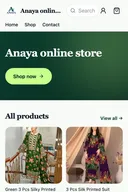
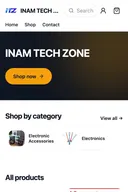




Create your online store in a few simple steps
Everything happens in your Markaz account, on your phone or computer.
-
Log in to Markaz
Go to markaz.app/shop and sign in with your Markaz reseller account.
-
Create Your Own Shop
Open your profile menu and choose Create Your Own Shop.
-
Set up your brand
Enter your shop name, add your logo and choose your web address.
-
Choose products
Pick the products for your shop from the ones you have saved to your Markaz favourites.
-
Set your prices
Decide the selling price of each product. Your profit is the difference from the Markaz price.
-
Preview and publish
Check your shop, change its colours and layout if you like, then publish and share your link.
See how inCart works
Watch how a Markaz reseller creates and launches an online store, from the first step to the first order. One minute, in Roman Urdu and English.
Create your storeYour customers shop. Markaz handles the rest.
What happens after you share your shop link.
- Customers visit your shop from your link on WhatsApp, Instagram or Facebook.
- They browse and add products to their bag, or buy one straight away.
- They check out with their name, phone and address, as a guest or with Google, and pay cash on delivery.
- You confirm the order in your Markaz orders. Orders you don't confirm within 48 hours are cancelled.
- Markaz packs and delivers it. Your customer tracks the parcel on your shop, and you earn your profit the same way as your other Markaz orders.
Shops sell products from Markaz's Pakistan catalogue. Customers pay cash on delivery.
Questions
What is inCart?
inCart helps people create their own branded online store without technical skills: your name, your logo, your prices, at your own web address.
Who can create a store right now?
Markaz resellers. You create your store from your Markaz account at markaz.app/shop. You can't sign up on incart.pk itself.
Where do I create my store?
Sign in at markaz.app/shop, open your profile menu and choose Create Your Own Shop.
Do I need to manage stock or delivery?
No. For stores created through Markaz, Markaz manages the stock, packs and delivers the orders, and collects the cash.
Which products can I sell?
Products from Markaz's Pakistan catalogue that you have saved to your favourites and that are in stock.
Can I set my own selling prices?
Yes, within Markaz's pricing rules.
Can customers order directly from my store?
Yes. Customers browse, add products to their bag and place their order on your store with cash on delivery. You confirm each order before Markaz sends it.